
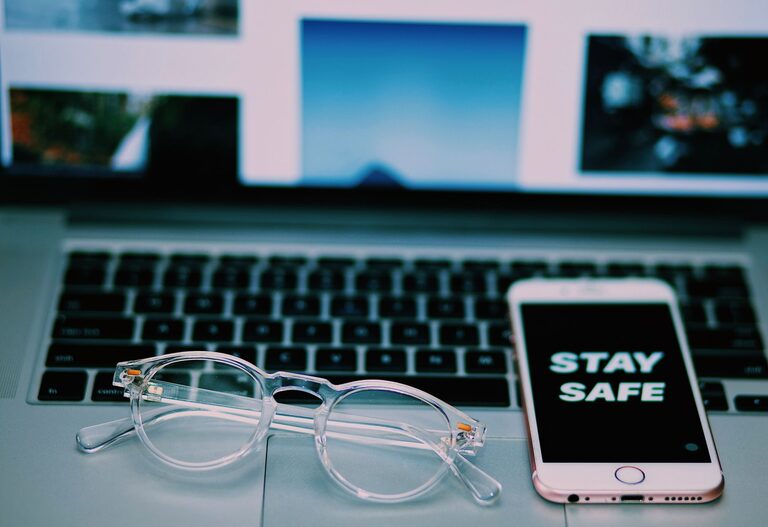
Keeping your phone and keyboard clean is essential for hygiene and the long-term health of your devices. Since both items are used daily and often come into contact with our hands, they can accumulate dirt, oils, and germs. However, using the wrong cleaning methods or harsh chemicals can damage sensitive electronics. This guide will walk you through safe, effective techniques to clean your phone and keyboard without risking harm.
Why Cleaning Your Devices is Important
Phones and keyboards can harbor bacteria, dust, and grime. Regular cleaning helps:
– Reduce germs and the risk of illness
– Maintain device appearance
– Prevent buildup that can affect performance
By following safe cleaning routines, you protect both your health and your devices.
What You’ll Need: Cleaning Supplies Checklist
Before you begin, gather these safe and effective cleaning tools:
– Microfiber cloths (lint-free and soft)
– Cotton swabs or soft brushes (for tight spaces)
– Isopropyl alcohol (70% or less concentration)
– Distilled water (to avoid mineral deposits)
– Mild dish soap (optional)
– Compressed air (optional, for keyboards)
Avoid using bleach, ammonia-based cleaners, or abrasive materials.
—
How to Clean Your Phone Safely
Step 1: Power Off and Unplug
Turn off your phone and disconnect it from charging cables or accessories. This step helps avoid electrical issues and accidental screen inputs.
Step 2: Remove Cases and Accessories
Take off any phone cases, screen protectors, or attached accessories. Clean these separately according to manufacturer guidelines.
Step 3: Prepare Cleaning Solution
Mix equal parts distilled water and isopropyl alcohol in a small container. This 50/50 solution gently disinfects without damaging phone surfaces.
Note: Avoid using straight alcohol on screens, especially if your phone has special coatings.
Step 4: Wipe the Phone Exterior
– Lightly dampen a microfiber cloth with the cleaning solution. It should be just slightly wet, not dripping.
– Gently wipe all surfaces of your phone, including the screen, back, and sides.
– Use a dry microfiber cloth afterward to remove any moisture.
Step 5: Clean Ports and Small Areas
– Use a dry cotton swab or a soft brush to remove debris around ports (charging, headphone) and buttons.
– Be gentle to avoid pushing dirt further inside.
Step 6: Clean Your Phone Case
– For silicone, rubber, or plastic cases, wash with warm soapy water, rinse well, and let air dry.
– For leather or fabric cases, follow manufacturer cleaning advice to avoid damage.
—
How to Clean Your Keyboard Safely
Step 1: Unplug or Power Off
Disconnect your keyboard from the computer, or turn off your wireless keyboard to avoid input hazards.
Step 2: Remove Loose Debris
– Turn the keyboard upside down and gently shake it to dislodge crumbs or dust.
– Use compressed air to blow out dust between keys. Hold the can upright and spray in short bursts.
Step 3: Prepare a Cleaning Solution
Mix a few drops of mild dish soap into warm distilled water. Avoid soaking the keyboard or using harsh chemicals.
Step 4: Clean the Keys and Surface
– Lightly dampen a microfiber cloth with the soapy water.
– Wipe the keyboard surface and each key carefully.
– For stubborn dirt between keys, use a cotton swab dipped (and squeezed of excess moisture) in the same solution.
Step 5: Disinfect
– Dampen a cloth with a 70% isopropyl alcohol solution (or use alcohol wipes safe for electronics).
– Wipe the keys and keyboard surface to kill germs.
– Avoid excess liquid and do not let moisture seep between or under keys.
Step 6: Dry Thoroughly
Use a dry microfiber cloth to remove any remaining moisture. Allow the keyboard to air dry completely before reconnecting or powering on.
—
Additional Tips for Device Cleaning
– Clean your devices regularly, at least once a week if used daily.
– Wash your hands before and after using devices.
– Avoid eating over your keyboard or phone.
– Use screen protectors and keyboard covers to minimize direct contamination.
– If unsure about cleaning specific devices, consult the manufacturer’s guidelines.
—
Summary
Keeping your phone and keyboard clean doesn’t have to be complicated. By using gentle cleaning solutions like diluted isopropyl alcohol and mild soap with soft microfiber cloths, you can safely remove dirt and germs. Remember to power off devices first, avoid excess moisture, and clean accessories separately. Regular cleaning not only improves hygiene but also extends the lifespan of your devices.
With these practical methods, your tech will stay both clean and protected!